If you are trying to decide between a power over ethernet smart camera vs wifi which is better, you have probably felt stuck between promises of ultra‑convenience and the myth of bulletproof reliability. Many people buy a smart camera, only to deal with laggy feeds, dead batteries, or spotty connections that miss the one moment that matters. This guide compares PoE and WiFi cameras across every crucial factor—bandwidth, power stability, installation difficulty, and long‑term cost—so you can pick the security system that actually works for your home or office. We will also highlight specific cameras that excel in each category, helping you turn information into a purchase decision you can trust.
The smart camera market has exploded: more than 80 million units were sold globally in 2025 alone. But performance gaps between wired and wireless models are wider than ever. Whether you are retrofitting an existing home or building a new system from scratch, understanding the real differences between PoE and WiFi is the first step toward a future‑proof security setup. Read also: DIY Smart Home Installation Guide for Beginners Step by Step to see how these cameras fit into a broader smart home plan.
PoE vs WiFi Smart Camera: The Core Comparison
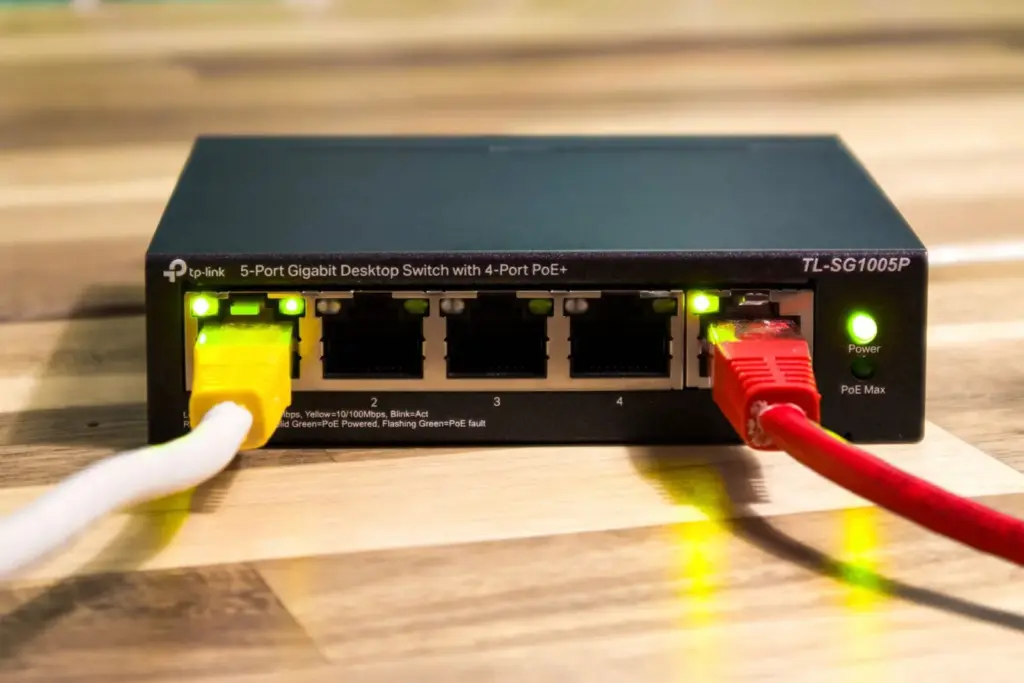
Before diving into specific products, let us compare the two technologies head‑to‑head. Power over Ethernet sends both data and electricity over a single Ethernet cable, while WiFi cameras rely on your wireless network and a separate power source (plug or battery). The table below summarises the most important differences.
| Aspect | PoE Camera | WiFi Camera | Key Consideration |
|---|---|---|---|
| Installation complexity | Requires running Ethernet cables (may need a professional) | Plug‑and‑play; battery models need zero wiring | PoE is more work upfront; WiFi is easier for renters |
| Network reliability | Dedicated hardwired connection, no interference | Subject to signal strength, congestion, and walls | PoE wins for consistent streams |
| Power source | Power delivered via Ethernet (no separate outlet needed) | Requires AC adapter or rechargeable battery | PoE is cleaner in remote spots |
| Video quality & bandwidth | Full bandwidth; supports 4K/8K with high frame rates | Limited by WiFi speed; may drop resolution on poor signal | PoE ideal for high‑detail recording |
| Maximum cable/battery life | Up to 100 m per cable (extendable with switches) | Battery: 2–6 months; plugged: unlimited | PoE for permanent placement; WiFi for flexibility |
| Initial cost (per camera) | $80–$250 (camera + PoE switch / injector) | $30–$200 (camera only; most come with adapter) | WiFi is cheaper to start |
| Security / hacking risk | Physically isolated network; harder to intercept | Wireless signal can be jammed or sniffed with tools | PoE is more secure by design |
5 Best Smart Cameras (PoE & WiFi) Compared
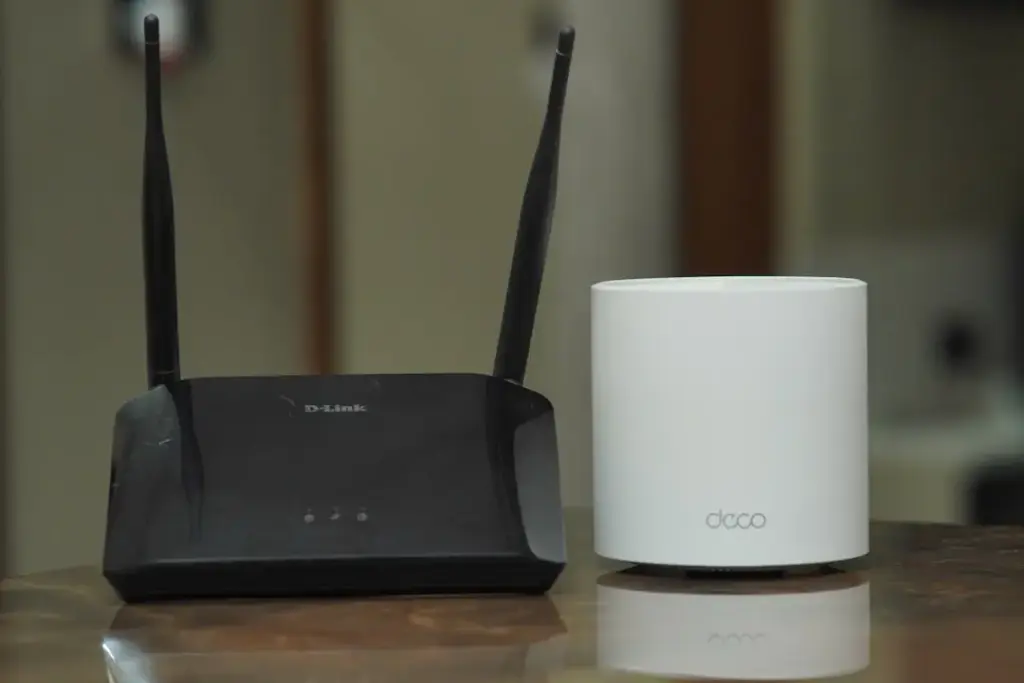
To help you apply this comparison in real life, I have selected five cameras that represent the best of each technology. Each product is analysed with the same criteria: overview, features, pricing, advantages, disadvantages, best user, user experience, and expert opinion.
1. Best Overall PoE Camera – Reolink RLC‑810A
Overview: A 4K PoE bullet camera with person/vehicle detection and built‑in spotlight. Reolink is known for balancing pro‑grade features with a user‑friendly app.
Features: 8 MP (3840 × 2160) resolution, 100° viewing angle, motion‑activated LED spotlight, two‑way audio, microSD up to 256 GB, and ONVIF compatible.
Pricing: Approximately $85–$100. A PoE switch or injector adds $15–$40 if you do not already have one.
Advantages:
- Crisp 4K footage day and night
- Low failure rate; firmware updates are regular
- No recurring subscription for basic motion alerts
Disadvantages:
- Ethernet cable needed – not suitable for every location
- No built‑in WiFi fallback
Best for: Homeowners who want professional image quality without monthly fees.
User Experience: Owners praise the sharp night vision and reliable push notifications. A few note that the mobile app can be slow when loading history clips on 4G.
Expert Opinion: For the price, the RLC‑810A delivers 4K performance that rivals more expensive brands. If you can run a cable, this camera is a benchmark for value.
2. Best Overall WiFi Camera – Arlo Pro 5S 2K
Overview: A wire‑free WiFi camera that records in 2K HDR, with colour night vision and a wide magnetic mount.
Features: 2560 × 1440 resolution, 160° diagonal field of view, audible siren, weather‑resistant (IP65), dual‑band 2.4/5 GHz WiFi, rechargeable battery (3–6 months life).
Pricing: $149 for one camera (often sold as a two‑pack for $250). Requires an Arlo SmartHub (included in multi‑packs) or direct WiFi connection.
Advantages:
- Truly wireless installation – place anywhere within range
- Excellent colour night vision and HDR
- Works with Alexa, Google, and Apple Home
Disadvantages:
- Subscription needed ($4.99/month) for advanced AI detection and cloud storage
- Battery requires periodic charging; constant live view drains quickly
Best for: Users who need a portable, easy‑to‑move camera and are okay with a small monthly fee.
User Experience: Most customers love the clarity and ease of setup. The main frustration is battery life when motion events are frequent – some report charging every 2 weeks in high‑traffic areas.
Expert Opinion: Arlo continues to refine its wireless experience. The Pro 5S is the best all‑rounder for WiFi, but the subscription cost tilts the long‑term value equation toward PoE for budget‑conscious buyers.
3. Best Value PoE Camera – Dahua IPC‑HDW1431TM‑AS
Overview: A 4MP (2688 × 1520) starlight network camera with a fixed lens (2.8 mm). Dahua is a major OEM brand that often sells at a lower price than its own rebrands.
Features: 4 MP resolution, 0.005 lux colour night vision, built‑in microphone, microSD slot, IP67 weather rating, PoE+ compatible.
Pricing: $70–$85. A basic PoE injector is about $12.
Advantages:
- Excellent low‑light performance (starlight sensor)
- Extremely affordable for a durable outdoor PoE camera
- No recurring fees
Disadvantages:
- Limited to 4MP (still very good for most needs)
- No built‑in AI analytics – you need an NVR for person detection
Best for: Budget‑conscious users who want pro‑grade night vision and reliability without paying a premium.
User Experience: Forum users highlight the camera’s “shockingly good” night colour image. Tech support is minimal, but the units are robust.
Expert Opinion: The Dahua 1431 is one of the best kept secrets in the security world. Combine it with a free software NVR like Blue Iris, and you get a professional setup for under $100 per camera.
4. Best Budget WiFi Camera – Blink Mini
Overview: A compact indoor plug‑in camera that records 1080p video and works exclusively with the Blink app.
Features: 1080p HD, IR night vision, two‑way audio, motion detection (with adjustable zones), works with Alexa.
Pricing: $24.99 (often on sale for $19.99). The Sync Module 2 is $34.99 (required for local storage via USB).
Advantages:
- Extremely low entry price
- Simple, intuitive app
- No monthly fee if you store clips locally with Sync Module
Disadvantages:
- Indoor only, 1080p maximum
- No continuous recording (only event‑based clips)
- WiFi reliability can be inconsistent on 2.4 GHz only
Best for: Renters or people who need a low‑commitment camera for a single room.
User Experience: Tens of thousands of reviews praise the price and ease. Common complaint: the delay between motion and notification can be 5–10 seconds, missing fast events.
Expert Opinion: The Blink Mini is a fantastic “starter” device. However, its reliance on cloud processing and lack of PoE make it unsuitable for mission‑critical monitoring.
5. Best for Advanced Users / Professionals – Ubiquiti G5 Bullet (PoE)
Overview: A 2K PoE camera from Ubiquiti’s UniFi Protect ecosystem, designed for seamless integration with UniFi switches and NVRs.
Features: 2K (2560 × 1440) at 30 fps, 104° viewing angle, enhanced colour night vision, AI‑powered object detection (person, vehicle, animal), IP65 weatherproof, advanced motion zones.
Pricing: $199 per camera. You also need a UniFi Cloud Key or UDM‑Pro (approx. $200–$400) to manage the system.
Advantages:
- Single‑ecosystem management – no third‑party app mess
- Low latency and rock‑solid network integration
- Automatic firmware updates and full local recording
Disadvantages:
- High upfront investment (camera + ecosystem)
- Requires technical knowledge to set up VLANs or adopt multiple cameras
Best for: IT professionals, tech enthusiasts, and small businesses that want a unified, reliable surveillance system.
User Experience: UniFi owners consistently mention the “buttery” smooth playback and the polished interface. The downside: once you start, it is hard to mix non‑Ubiquiti cameras.
Expert Opinion: For advanced users, the G5 Bullet is the gold standard of PoE smart cameras. The initial investment pays off in stability and low long‑term maintenance.
Detailed Guide: How to Choose Between Power Over Ethernet and WiFi Smart Cameras
If you are still on the fence, this section breaks down every factor you need to evaluate before buying. Use these guidelines to match the technology with your specific environment.
What to Look For
Start by assessing your home’s layout and your willingness to run cables. If you own a house with an attic or crawlspace, PoE is usually worth the extra effort. For apartments or temporary setups, WiFi cameras are much simpler. Ask yourself: do you need 24/7 continuous recording? PoE cameras can record non‑stop without worrying about battery life. WiFi cameras, especially battery‑powered ones, only record clips triggered by motion.
Important Features
No matter which type you choose, pay attention to these five features:
1. Resolution: 2K (2560×1440) is the minimum for identifying faces; 4K offers more detail.
2. Night vision: Starlight or colour night vision reduces false alerts from shadows.
3. Field of view: Wide angles (100°–160°) cover more area but can distort edges.
4. Two‑way audio: Useful for deterring intruders or talking to delivery people.
5. Local storage or cloud: Local (microSD or NVR) avoids monthly fees.
Pricing Factors
The sticker price of a camera is only part of the total cost. For PoE, you must include a PoE switch ($30–$100) and Ethernet cabling ($0.10–$0.30 per foot if you DIY, or $150–$300 for professional installation). For WiFi, budget for a good router (if yours is old) and possibly a subscription for cloud storage or advanced AI. Over three years, a $30 WiFi camera with a $5/month subscription costs $210, while a $90 PoE camera with no subscription costs $90 + switch + cable. Compare the total ownership period.
Hidden Costs to Watch For
WiFi cameras often require a Sync Module or Hub (e.g., Ring, Blink) that is not always bundled. Battery‑powered models need rechargeable batteries that degrade after 1–2 years (replacement $15–$30). PoE cameras may need conduit or weatherproof junction boxes if mounted outdoors. Also, a hardwired system might be more expensive to move later if you relocate.
Tips for Choosing Wisely
- If WiFi signal is weak in the camera location, buy a mesh network or use a WiFi extender before choosing a camera.
- For outdoor, high‑traffic areas, PoE is almost always better because it eliminates battery anxiety and connection drops.
- Mix both types: use PoE for critical perimeter cameras and WiFi for spots that are hard to wire.
- Always check if the camera supports RTSP or ONVIF – this avoids vendor lock‑in and lets you use third‑party NVR software.
Read also: Smart Door Lock with Fingerprint and Keypad for Front Door: 2026 Guide – combining a PoE camera with a smart lock creates a robust entry‑point security layer.
Frequently Asked Questions
Can a PoE camera work without a network?
No. PoE cameras require a network connection via Ethernet to send video. However, some models support local recording to an SD card even if the network is down, but you cannot view live footage. For offline recording, consider cameras with built‑in storage and battery backup.
Do WiFi cameras slow down my home internet?
They can. Each camera streaming high‑resolution video (4K) uses 15–25 Mbps. Multiple cameras can saturate a 100 Mbps connection, especially if you are also gaming or streaming. WiFi cameras also add latency if your router is overloaded. PoE cameras offload bandwidth to a dedicated switch, leaving your WiFi free for other devices.
Is PoE safer from hacking than WiFi?
Generally, yes. Physical access to the Ethernet cable is required to intercept data, and you can place the PoE switch behind a firewall. WiFi signals travel through walls and can be captured with a wireless sniffer. However, any internet‑connected camera is vulnerable if its firmware has bugs. Keep both PoE and WiFi cameras updated.
What’s the maximum cable length for PoE cameras?
The IEEE 802.3af/at standard limits PoE to 100 meters (328 feet) per cable run. You can extend further by using a PoE extender or Ethernet switch in the middle. If your camera is farther than 100 m from the switch, consider running a fibre‑optic backbone or moving the camera closer.
Can I convert a WiFi camera to PoE?
Some WiFi cameras have a micro‑USB port that can accept power from a PoE injector with a USB‑C adapter, but this does not add Ethernet data. True PoE requires an Ethernet port on the camera. There are also aftermarket adapters that split the Ethernet cable into power and a WiFi module, but results are inconsistent. It is usually better to buy a native PoE camera.
Do I need a special switch for PoE cameras?
Yes, you need a PoE‑enabled switch or a PoE injector for each camera. Standard network switches do not send power over Ethernet. Look for switches with PoE+ (IEEE 802.3at) if you plan to use pan‑tilt‑zoom cameras or multiple high‑power devices.
Will a PoE camera work with a battery backup?
Yes. Connect the PoE switch to an uninterruptible power supply (UPS). The cameras will continue running even during a power outage, as long as the switch and your network equipment have power. WiFi cameras that run on batteries may also continue recording during an outage but cannot connect to your internet if your router is down.
Final Summary: Which One Should You Buy?
After analysing the technologies and reviewing the best examples, here is our clear verdict for different user profiles:
- Best Overall: PoE Camera – Reolink RLC‑810A for its unbeatable combination of 4K resolution, reliability, and zero subscription fees.
- Best Value: PoE Camera – Dahua IPC‑HDW1431TM‑AS offers professional‑grade night vision at a budget price.
- Best Premium Option: Ubiquiti G5 Bullet PoE provides a seamless, integrated experience for power users who want a single‑ecosystem solution.
- Best Beginner Choice: WiFi Camera – Blink Mini costs almost nothing and lets you test the waters without any wiring.
- Best for Advanced Users: Ubiquiti G5 Bullet PoE again, due to its advanced network integration and customisation options.
If you are still asking “power over ethernet smart camera vs wifi which is better”, the answer comes down to your priorities. PoE delivers rock‑solid performance, better video quality, and a lower total cost over the long term – if you can run cables. WiFi cameras win on convenience and portability, but they often require compromises in reliability and monthly costs. For most homeowners who are installing their first system, mixing one or two PoE cameras at entry points and using WiFi cameras indoors gives the best of both worlds.
Read also: Best Smart Garage Door Opener with Built In Camera: 2026 Guide – a garage door opener with an integrated camera can complement your outdoor PoE system perfectly.
