You’ve just moved into a 2,500-square-foot home, or maybe you’ve lived there for years and want to upgrade. Either way, the idea of controlling every light with your voice or phone sounds amazing. But then reality hits: what is the actual cost to install a smart home lighting system in a 2500 sq ft home? Budgets are tight, and guesses online range from a few hundred dollars to several thousand. This guide cuts through the confusion. I’ll break down every expense, compare the best systems, and share insider tips to help you decide whether to DIY or hire a pro. Let’s start with what you really need to know.
Breaking Down the Cost to Install a Smart Home Lighting System in a 2500 Sq Ft Home
Before diving into specific products, it helps to understand the three main cost layers: hardware, installation labor, and ongoing fees. A typical 2,500 sq ft home has around 20–30 light fixtures (including switches and outlets). If you upgrade every switch and bulb, the total can range from $1,200 to $4,500+ depending on your choices. Here’s how that breaks down.
Hardware Costs
Smart bulbs cost $10–$30 each, and smart switches range from $25–$60. For a full home with 25 bulbs, that’s $250–$750 for bulbs, or $625–$1,500 for switches. A hub (if needed) adds $30–$150. Dimmers, motion sensors, and outdoor modules add more.
Installation Labor
Professional electricians charge $50–$150 per hour. A whole-home installation can take 8–16 hours, totaling $400–$2,400. DIY saves this entirely, but requires comfort with electrical work.
Subscription & Smart Home Hub Fees
Many systems require a hub (like Philips Hue) that is a one-time cost. Voice assistants are free. Some advanced automations (e.g., outdoor schedules) may need a subscription ($3–$10/month) if you use a cloud-based platform.
To give you a real-world picture, let’s examine the top systems available today. Each one fits a different budget and skill level.
Top 5 Smart Lighting Systems for a 2500 Sq Ft Home
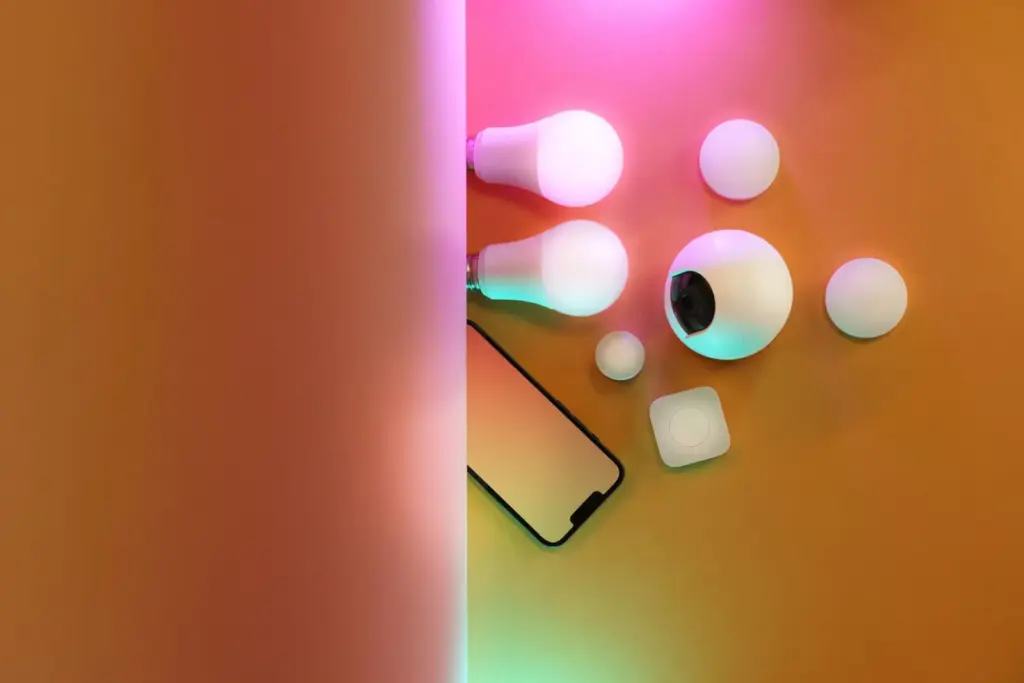
1. Philips Hue – Premium Ecosystem with Full Control
Overview: Philips Hue is the most recognized name in smart lighting. It offers bulbs, switches, and outdoor lights that work with Zigbee and a dedicated hub.
Features: Millions of colors, automation via Hue app, integration with Alexa/Google/HomeKit, and a wide range of form factors (A19, BR30, GU10, outdoor floodlights).
Pricing: Starter kits start at $100 (hub + 4 bulbs). A full 25-bulb setup with switches costs around $900–$1,400. Professional installation adds $500–$1,000.
Advantages:
- Reliable local control (no internet required after setup)
- Extensive third-party compatibility
- Great color quality and brightness
Disadvantages:
- Requires a hub (adds $50–$60)
- Bulbs are not reusable if you move fixtures
- Higher upfront cost compared to Wi-Fi bulbs
Best For: Homeowners who want a polished, future-proof system and don’t mind paying a premium for reliability.
User Experience: Most users praise the app’s ease of use and the stability of the mesh network. A common complaint is the cost of adding many bulbs, but once set up, issues are rare.
Expert Opinion: Philips Hue is the gold standard for color and ecosystem depth. For a 2,500 sq ft home, it handles up to 50 bulbs easily. However, if you are on a tight budget, you can mix Hue with cheaper switches for some rooms.
2. Lutron Caséta Wireless – Best for Switches and Dimming
Overview: Lutron focuses on smart switches and dimmers that replace your wall switches. It works with most standard bulbs (LED, incandescent, halogen) without needing smart bulbs.
Features: Senses motion with Pico remotes, supports Apple HomeKit, Alexa, and Google Assistant. The hub (Caséta Smart Bridge) is required.
Pricing: Starter kit (hub + 1 dimmer) ~$100. Additional dimmers $55–$80 each. For 25 switches, expect $1,375–$2,000 for hardware. Professional install is recommended if you’re not comfortable with wiring – add $600–$1,500.
Advantages:
- Works with your existing bulbs
- No bulb compatibility issues
- Ultra-reliable, zero latency
Disadvantages:
- Higher per‑switch cost than Wi‑Fi switches
- Limited to dimming (no color changing)
- Hub needed, but it handles up to 75 devices
Best For: People who want professional-grade dimming and rock-solid reliability without changing bulbs every time a fixture breaks.
User Experience: Customers consistently say Lutron is “set and forget.” The dimming quality is superior, and the system rarely disconnects. The only downside is the price tag for a whole house.
Expert Opinion: If you are remodeling or building new, Lutron Caséta is worth every penny. It integrates well with other smart home elements. Read also: Best Smart Thermostat for Multi Zone Heating Systems: Expert Guide (2026) – pairing a smart thermostat with Lutron switches can optimize energy usage further.
3. TP‑Link Kasa – Best Value Wi‑Fi Smart Switches
Overview: TP‑Link Kasa offers affordable Wi‑Fi smart switches and bulbs that do not require a hub. Setup is straightforward via the Kasa app.
Features: Scheduling, timer, away mode, voice control (Alexa, Google), and energy monitoring on some models. Switches fit standard decora plates.
Pricing: Individual switch ~$15–$20. Plug‑in modules around $12. A full house of 25 switches costs $375–$500. No professional installation is needed if you are handy with wiring; otherwise, hire an electrician for $400–$800.
Advantages:
- No hub required
- Very affordable
- Reliable Wi‑Fi connection for most homes
Disadvantages:
- Dependence on Wi‑Fi stability – if your router is overwhelmed, lights may lag
- Limited to 2.4GHz band (but that’s standard)
- Not as polished in appearance as Lutron
Best For: Budget‑conscious homeowners who want a full‑house smart lighting upgrade without spending thousands.
User Experience: Users love the price and ease of setup. A few report occasional disconnect after router updates, but firmware fixes usually solve it. Overall, it’s the most recommended budget system on Reddit and Amazon.
Expert Opinion: For a 2,500 sq ft home, Kasa works well if you have a modern Wi‑Fi 6 router with good coverage. If your home is long or has thick walls, you might need a mesh system. But the cost savings are substantial.
4. Govee – Best for Decorative and Color‑Changing Lights
Overview: Govee is popular for its smart LED strips, bulbs, and outdoor lights. It provides vivid colors and app control at very low prices.
Features: Music sync, DIY scenes, voice control, and Matter compatibility on newer models. No hub required (Bluetooth + Wi‑Fi).
Pricing: Basic A19 smart bulb ~$10. LED strip kits from $20 to $80. A whole‑home setup mixing bulbs and strips runs $300–$600. Professional installation is rarely needed except for hard‑wired dimmers.
Advantages:
- Extremely affordable
- Excellent color range and brightness
- Great for accent and outdoor lighting
Disadvantages:
- Some models are Bluetooth only (short range)
- Build quality not as robust as Philips Hue
- Limited integration with advanced automation (e.g., HomeKit support inconsistent)
Best For: Homeowners focusing on decorative lighting, or those who want to add smart lighting to a few rooms without breaking the bank.
User Experience: Govee fans love the creativity options and low cost. Negative feedback often mentions app stability during firmware updates. Still, it’s a solid choice for accent lighting in a large home.
Expert Opinion: Govee is not a full replacement for a structured smart lighting system, but it’s perfect for entertainment areas. Use it to supplement a more reliable system like Lutron for essential rooms.
Overview: Wyze started with security cameras and now offers smart bulbs ($5–$10 each) and plugs. They work without a hub, but require the Wyze app.
Features: Schedules, automation, voice control (Alexa/Google), and integration with Wyze security devices.
Pricing: Bulb ~$8 each. Plug ~$5. For 25 bulbs: $200. Add two plugs for outdoor lights ($10). Total hardware: around $210. Professional installation is unnecessary for bulbs but needed if installing switches (Wyze doesn’t make hard‑wired switches).
Advantages:
- Rock‑bottom price
- Simple app with good automation rules
- Works well with Wyze ecosystem
Disadvantages:
- Bulbs only (no switches) – you lose manual control unless you keep existing switches on
- Wi‑Fi dependent, and Wyze servers sometimes experience outages
- Limited brightness and color options (mostly warm white)
Best For: Extreme budget‑minded users who are okay with smart bulbs and don’t mind occasional internet issues.
User Experience: Many users appreciate the low barrier to entry. However, reliability complaints are more common than with Hue or Lutron. If you need a simple way to control lights from your phone, Wyze gets the job done cheaply.
Expert Opinion: Wyze should not be your primary system for a large home if you value reliability. Use it for guest rooms or utility areas where occasional quirks are acceptable. For the main living spaces, invest in a more robust solution.
Comparison Table: Smart Lighting Systems for 2500 Sq Ft Home
| System | Installation Complexity | Estimated Hardware Cost (25 fixtures) | Estimated Professional Install Cost | Best For | Overall Value |
|---|---|---|---|---|---|
| Philips Hue | Moderate | $900–$1,400 | $500–$1,000 | Color & full automation | Good |
| Lutron Caséta | Moderate/High | $1,375–$2,000 | $600–$1,500 | Switches & dimming | Excellent |
| TP‑Link Kasa | Low/Moderate | $375–$500 | $400–$800 | Budget whole‑home | Very Good |
| Govee | Low | $300–$600 | $0–$200 | Decorative & accent | Good (for accent) |
| Wyze | Very Low | $200–$250 | $0 | Ultra‑budget | Fair |
Note: Professional install costs vary by region. The above estimates assume $100/hour electrician rate and 6–12 hours for 25 fixture points.
What to Look for When Planning Your Smart Lighting Installation
Choosing the right system involves more than just price. Here are the key factors to weigh.
Wired vs. Wireless Control
Smart switches replace your existing wall switches and offer the best experience – you still have a physical button, and the lights are always smart. Smart bulbs, on the other hand, require the wall switch to be left on, which can confuse guests. For a whole‑home installation, switches are generally preferred for reliability and aesthetic.
Compatibility with Existing Wiring & Fixtures
Most homes have a neutral wire in switch boxes. If your home was built before 1985, you might lack neutral wires, which limits your options. Many smart switches (including Lutron Caséta) work without a neutral, but you should confirm. Adding a neutral wire is possible but adds cost to professional installation.
Hub vs. Hubless
Systems like Philips Hue and Lutron use a dedicated hub that creates a local mesh network. This is more reliable than Wi‑Fi because it doesn’t compete with streaming devices. Hubless systems (Kasa, Wyze) are simpler but can suffer from router congestion. For a 2,500 sq ft home, a hub is recommended if you plan to have more than 20 smart devices.
Outdoor Integration
Many smart lighting systems offer outdoor floodlights, string lights, or plug‑in modules. If you want to automate your porch, yard, or garage, ensure the system supports outdoor rated products. Read also: Best Outdoor Smart Plug with Weatherproof Cover: Top Picks for Rain, Snow, and Sun – adding a weatherproof smart plug can extend automation to Christmas lights or Christmas decorations without expensive outdoor fixtures.
Energy Monitoring & Automation
Higher‑end systems like Lutron and Hue can track energy usage. This is helpful for long‑term savings. If your goal is to reduce electricity bills, look for systems that support detailed energy reports. However, the savings from smart lighting alone are modest (about $20–$50/year), so don’t base your decision solely on that.
Hidden Costs to Watch Out For
- Hub costs – not all systems include a hub in the starter kit.
- Professional electrician fees – if your home lacks neutral wires, the price can double.
- Smart bulbs for every socket – you may not need smart bulbs in closets or storage rooms. Plan for 70–80% coverage.
- Subscription fees – some platforms charge for advanced automation (e.g., IFTTT, SmartThings).
- Additional equipment – motion sensors, door/window sensors, and outdoor modules add up.
Tips for Choosing Wisely
- Start with the most used rooms: living room, kitchen, primary bedroom, and entryway.
- Mix and match: use smart switches for main lights and cheap smart bulbs for accent lighting.
- Test one room before committing to a whole‑house system.
- Check if your voice assistant (Alexa, Google, Siri) is fully supported.
- Look for Matter compatibility – the new standard that promises universal integration. Products with Matter are still emerging, but future‑proofing is wise.
Frequently Asked Questions
1. What is the average cost to install a smart home lighting system in a 2500 sq ft home?
The total average cost ranges from $1,500 to $3,500, including hardware and professional installation. A DIY budget system can be as low as $500 if you use Wyze or Kasa bulbs. The higher end includes premium switches like Lutron with full professional wiring.
2. Do I need an electrician to install smart lighting?
Only if you are installing smart switches that require wiring. Smart bulbs can be screwed in like regular bulbs. Switches involve live wires – if you are not comfortable with electrical work, hire a licensed electrician to avoid safety risks.
3. Can smart lighting work in homes without a neutral wire?
Yes, but your options are limited. Lutron Caséta and some Inovelli switches work without a neutral. Most other switches require one. An electrician can sometimes add a neutral wire, but that adds cost.
4. How many smart bulbs or switches do I need for a 2,500 sq ft house?
A typical 2,500 sq ft home has 25–35 light fixtures. This includes ceiling lights, under‑cabinet lights, and outdoor lights. You don’t need to automate every single fixture – focus on common areas, bedrooms, and porch lights.
5. Is it cheaper to use smart bulbs or smart switches?
Smart switches are cheaper per fixture in the long run because they control multiple bulbs (e.g., a chandelier) with one switch. Smart bulbs are easier to install but cost more per bulb and cannot be used in multi‑bulb fixtures unless you replace all bulbs.
6. How long does installation take?
DIY bulb installation takes about 30 minutes for the whole house. Professional switch installation can take 6–12 hours for a 25‑switch setup. Programming the app adds another 1–2 hours.
7. Will smart lighting help me save on electricity bills?
Moderately. Automating lights to turn off when no one is in the room can save 5–10% on lighting energy. LED smart bulbs themselves use less energy than incandescent, but the smart feature doesn’t drastically lower your bill. The main benefit is convenience and security.
Final Recommendations
After evaluating costs, reliability, and ease of use, here are my top picks for a 2,500 sq ft home.
- Best Overall: Lutron Caséta Wireless. Its reliability and professional dimming quality are unmatched. The total cost is higher ($2,000–$3,500 installed), but it works flawlessly for years.
- Best Value: TP‑Link Kasa. For around $800–$1,300 (DIY or pro), you get a robust switch‑based system that covers every room without a hub. It’s the sweet spot between price and performance.
- Best Premium Option: Philips Hue. If you love color scenes, outdoor lights, and seamless integration with Apple HomeKit, Hue delivers. Expect to spend $1,500–$2,500 for a full setup.
- Best Beginner Choice: TP‑Link Kasa or Wyze. Both are easy to set up, have intuitive apps, and don’t require a hub. Kasa is better for switches; Wyze is best for exceptionally low‑cost bulbs.
- Best for Advanced Users: Lutron Caséta + a hub like Hubitat or Home Assistant. Advanced users can create complex automation rules beyond dimming – e.g., tie lighting to a smart thermostat or security system. Read also: Best Smart Thermostat for Multi Zone Heating Systems: Expert Guide (2025) for thermostat integration ideas.
Ultimately, the cost to install a smart home lighting system in a 2500 sq ft home depends on your priorities. If reliability and elegance matter most, invest in Lutron. If you want to spend the least while still getting decent automation, choose Kasa. And if you simply must have every color of the rainbow, Philips Hue is worth the premium. Plan your budget, check your home’s wiring, and start small. Once you experience voice‑controlled lighting, you’ll wonder why you waited so long.
