You’ve seen the photos: a living room that changes from bright white for reading to warm amber for movie night, all controlled from your phone or voice. Then you start wondering—how much does this actually cost? Between the lights, hubs, switches, and electrician fees, the cost to install smart lighting in a living room can range from a few hundred to several thousand dollars. This guide breaks down every expense so you can plan your upgrade without surprises. From budget-friendly bulbs to full rewiring, we’ll cover what fits your home and your wallet.
Today’s smart lighting market offers more choices than ever. Prices have dropped, but installation complexity can still drive costs higher than expected. Whether you are a renter looking for a plug‑and‑play solution or a homeowner planning a complete renovation, understanding the true cost is the first step. Read on to compare options, avoid hidden fees, and pick the setup that matches your living room.
How Much Does Smart Lighting Installation Really Cost?

The final price depends on four main factors: the type of smart lights you choose, whether you need new wiring, whether you hire an electrician, and any extra components like hubs or smart switches. Below is a realistic cost breakdown for an average 250‑300 sq ft living room.
| Component | Low‑End Cost | Mid‑Range Cost | High‑End Cost | Notes |
|---|---|---|---|---|
| Smart bulbs (4–6 bulbs) | $40 – $80 | $80 – $150 | $150 – $300 | Wi‑Fi bulbs are cheapest; Zigbee/Z‑Wave cost more |
| Smart light switch (1–3 switches) | $25 – $60 each | $60 – $100 each | $100 – $200 each | Neutral wire required for most models |
| Smart plug (for lamps) | $10 – $20 | $20 – $35 | $35 – $60 | Adds outlets to existing lamps |
| Hub / bridge | $30 – $50 | $50 – $80 | $80 – $150 | Needed for Zigbee/Z‑Wave setups (e.g., Hue Bridge) |
| Electrician labor (if needed) | $150 – $300 | $300 – $600 | $600 – $1,200 | Wiring new switches, adding circuits, or fixing old wiring |
| Total estimated cost | $255 – $510 | $510 – $965 | $965 – $1,910 | Assumes a standard living room without major electrical upgrades |
If your home has older wiring—like aluminum or knob‑and‑tube—the cost can climb quickly. You may need an electrician to rewire or add a new circuit before even installing smart lights. Read also: Cost to Install 50 Amp RV Outlet at Home: Complete 2026 Guide (this article discusses similar electrical upgrade costs).
Best Smart Lighting Options for Your Living Room (Numbered List)
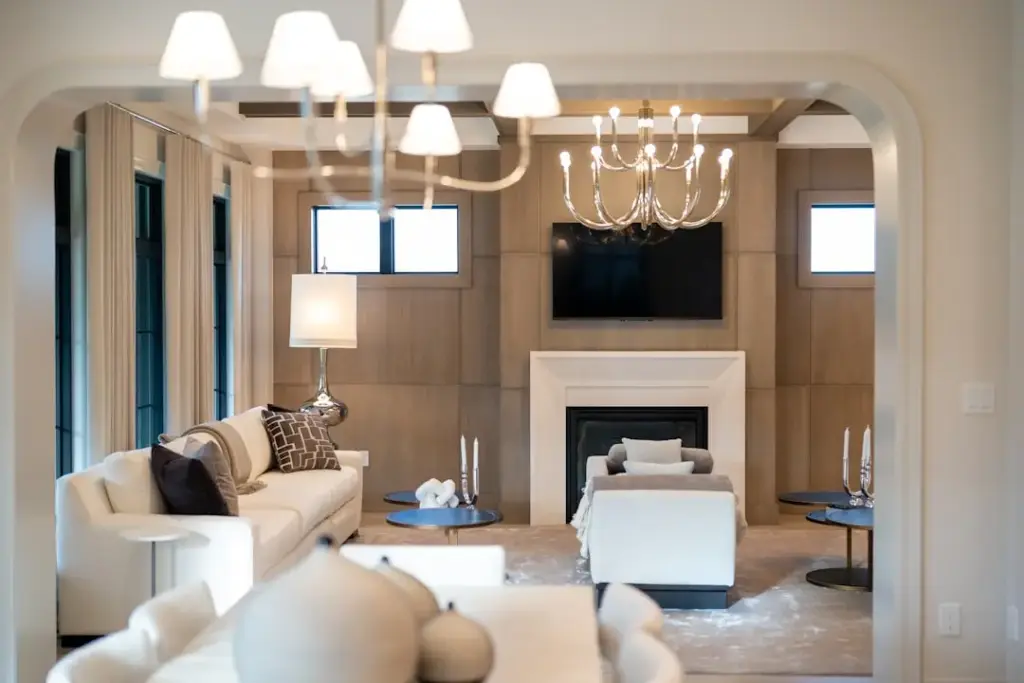
To help you decide, we’ve ranked the most popular setups by value, ease of use, and overall cost. Each entry follows the same structure: overview, features, pricing, pros, cons, ideal user, user feedback, and expert opinion.
1. Philips Hue – Best Overall for Reliability
Overview: Philips Hue remains the gold standard for smart lighting. Their system uses a Zigbee hub for fast, reliable communication. You can control bulbs, lightstrips, and even fixtures from one app or voice assistant.
Features: Wide color range (16 million colors), white ambiance options, motion sensors, sync with music and TV, and robust automations. Works with Alexa, Google Assistant, and Apple HomeKit.
Pricing: Each bulb costs $15–$50 depending on model. A starter kit (4 bulbs + hub) runs about $70–$130. Electrician installation is not required for bulbs but may be for hardwired ceiling lights.
Advantages:
- Excellent ecosystem with hundreds of compatible accessories
- Very stable connection (hub‑based)
- High brightness (up to 1100 lumens in newer models)
Disadvantages:
- Requires a hub (additional cost)
- Bulbs can be expensive for larger rooms
- Not all bulbs have color temperatures below 2200K
Best For: Homeowners who want a proven, expandable system with premium build quality.
User Experience: Most users report easy setup and few connection drops. The app’s routines (“wake up”, “go to sleep”) are widely praised. Some find the hub a minor nuisance, but agree it’s worth the stability.
Expert Opinion: Philips Hue is the safest choice if you plan to add more smart home devices later. The hub‑based system is less prone to Wi‑Fi interference, and Philips regularly updates firmware. For a living room, the combination of one Hue bridge and four color bulbs gives you the best balance of cost and features.
2. Kasa Smart (TP‑Link) – Best Value for Beginners
Overview: Kasa Smart by TP‑Link offers Wi‑Fi based bulbs and switches that do not need a hub. Setting them up is straightforward: screw in a bulb, download the app, connect to your Wi‑Fi. This keeps the cost to install smart lighting in a living room low—often under $100 for a full room.
Features: Dimmable white and color bulbs, scheduling, away mode, and voice control via Alexa/Google. No hub required. Also offers smart plugs and switches.
Pricing: Single color bulb costs $12–$20; a 4‑pack is around $40–$60. Smart switches run $20–$30 each.
Advantages:
- No extra hub means lower upfront cost
- Simple app with reliable schedules
- Affordable switches for replacing dimmers
Disadvantages:
- Relies on your Wi‑Fi; can lose connection if router is weak
- Limited color accuracy compared to Philips Hue
- No local control if Wi‑Fi goes down (unless you keep wall switches on)
Best For: Renters or budget‑focused users who want a zero‑hub setup and easy installation.
User Experience: Customers like the quick setup and low price. The main complaint is occasional Wi‑Fi dropouts, especially in homes with many connected devices. Most say it works perfectly for basic lighting control.
Expert Opinion: Kasa Smart is the best entry‑level option. If you already have a strong router and don’t need advanced automation, you’ll save a lot of money. Just be aware that Wi‑Fi congestion can cause delays—consider a mesh network if you have many smart devices.
3. Lutron Caséta – Best for Existing Switches (Hardwire)
Overview: Lutron Caséta replaces your existing wall switches with smart dimmers and switches. This is ideal if you have multiple bulbs on a single circuit (e.g., a chandelier or recessed lights). It uses a proprietary Clear Connect RF hub for ultra‑reliable communication.
Features: Smart dimmers, fan controls, plug‑in lamp modules, Pico remote (battery‑powered), and Works with Alexa, Google, Apple HomeKit. Also supports geofencing and sunrise/sunset routines.
Pricing: Starter kit (hub + one dimmer) costs $80–$100. Additional dimmers are $50–$70 each. Electrician installation may be required if you are not comfortable wiring a switch (cost $100–$200 per switch).
Advantages:
- Real dimmer feel – you can still use the physical switch
- Very reliable – no Wi‑Fi interference
- Works with all types of bulbs (including LEDs and incandescent)
Disadvantages:
- Requires neutral wire (older homes may lack one)
- Higher upfront cost per switch
- Limited to switches; does not offer color‑changing bulbs by itself
Best For: Homeowners who want smart dimming without replacing bulbs, especially for ceiling lights or track lighting.
User Experience: Users love that the physical toggle still works like a normal switch—guests can operate it without confusion. The Pico remote is often mounted in convenient spots. Some users note that the Caséta system is pricier than Wi‑Fi alternatives, but they say reliability is worth it.
Expert Opinion: Lutron Caséta is the most professional choice for replacing living room switches. If your home lacks a neutral wire, look for the Caséta “Pro” model or a no‑neutral dimmer (Lutron offers it). For a living room with multiple ceiling fixtures, this system provides the smoothest dimming experience.
4. Govee – Best Budget Choice for Color Effects
Overview: Govee is a Chinese brand that has gained popularity for extremely affordable smart lights, especially lightstrips and floor lamps. Their Wi‑Fi and Bluetooth hybrids keep costs low while offering vibrant RGBIC effects.
Features: Color‑changing bulbs, LED strips, floor lamps, DIY scenes, music sync, and app control. Many models come with a physical remote. Works with Alexa and Google, but not natively with Apple HomeKit.
Pricing: Smart bulbs can be as low as $8–$10 each. A 2‑pack of color bulbs is about $15. Large lightstrips (32ft) run $30–$50. No hub needed.
Advantages:
- Extremely low cost – you can light a whole living room for under $60
- Bold colors and dynamic effects (music sync, gradients)
- Easy to install – plug and stick for strips
Disadvantages:
- Build quality may be lower than premium brands
- Wi‑Fi connectivity can be slow or unreliable
- Limited to bulbs and strips; no hardwired switches
Best For: Renters, students, or anyone who wants colorful accent lighting without spending much. Great for creating mood lighting behind sofas or along shelves.
User Experience: Customer reviews are mixed. Many love the price and brightness; others report bulbs disconnecting after a few months. For the cost, most feel it’s a fair trade‑off. The app is functional but not as polished as Philips Hue.
Expert Opinion: Govee is fantastic if your primary goal is decorative lighting rather than daily functional control. For a living room that also needs reliable switch control, consider combining Govee strips with a Kasa or Lutron switch for the main ceiling lights. It’s not a full smart lighting solution, but it’s the best option on a tight budget.
5. Smart Electrician (Full Installation Service) – Best for Professional Setup
Overview: If you want a turnkey solution, hiring a licensed electrician to install smart switches, dimmers, and fixtures is the easiest route. This is best when you have older wiring or want to integrate multiple devices.
Features: The electrician will recommend suitable hardware (often Lutron, Leviton, or Legrand). They handle wiring, add neutral wires if needed, and set up the hub. Some also offer low‑voltage dimming for track lights.
Pricing: Electrician call‑out fee $100–$200, plus $80–$150 per switch/fixture installed. If you need a new circuit, add $300–$800. Read also: Electrician Cost to Add a 20 Amp Circuit: 2026 Pricing Guide for detailed circuit pricing.
Advantages:
- Everything works correctly and safely
- No DIY mistakes (fire hazard, short circuits)
- Can handle complex setups like 3‑way dimming
Disadvantages:
- Highest upfront cost
- You still need to purchase the smart devices separately
- Not necessary for simple bulb swaps
Best For: Homeowners with older wiring (aluminum, knob‑and‑tube) or those who want a seamless, professional install. Read also: How Much to Replace Old Knob and Tube Wiring: 2026 Cost Guide (if your living room has knob‑and‑tube, factor in that cost).
User Experience: When customers hire an electrician for smart lighting, they appreciate the peace of mind. Most say the technician was knowledgeable and finished quickly. Some mention that the electrician upsold unnecessary features—so get a written quote first.
Expert Opinion: Professional installation is strongly recommended if you are unfamiliar with electrical work. Even changing a switch can be dangerous if you don’t know how to identify hot wires. For a living room with multiple fixtures, paying a licensed electrician a few hundred dollars is a smart investment.
What to Look for When Choosing Smart Lighting
Important Features
- Compatibility: Make sure the system works with your voice assistant (Alexa, Google, Siri) and your existing Wi‑Fi router.
- Bulb vs. Switch: Bulbs are easier (just screw in) but require the wall switch to be always on. Switches control the whole circuit but need wiring.
- Color vs. White: Color bulbs cost more. For a living room, start with white‑tunable bulbs (2700K–6500K) unless you love parties.
- Dimmability: Ensure bulbs and switches are labeled “dimmable.” Some LEDs don’t dim smoothly without a compatible dimmer.
- Hub vs. No Hub: Hubs offer reliability but cost extra. Wi‑Fi bulbs are cheaper but can lag if too many devices share your network.
Pricing Factors
The cost to install smart lighting in a living room depends on:
- Number of lights: More bulbs or fixtures increase material cost.
- Type of installation: Plug‑and‑play bulbs are cheapest; replacing switches adds labor.
- Wiring condition: Old or damaged wiring may require an electrician to repair or upgrade—this can double the installation cost.
- Additional electrical work: Adding a new circuit or subpanel raises costs. Read also: Average Cost to Install a Subpanel in Garage: 2026 Guide (useful if you are adding a subpanel for the smart home system).
Hidden Costs
- Neutral wire: If your home was built before the mid‑1980s, switches may lack a neutral wire. Smart switches require one. An electrician can add it (around $100–$200 per switch).
- Smart home hub: Some systems (Philips Hue, Lutron Caséta) need a hub. Budget $50–$100.
- Permits: If you do a major electrical upgrade, a permit may be required (typically $50–$150).
- Future expansion: You may want to add sensors, outdoor lights, or more switches later—choose a system that scales.
Tips for Choosing Wisely
- Start small: Buy one smart bulb or switch first. Test it in your living room to see if the signal strength works.
- Check your wall switch wiring: Remove the cover plate and look for a white (neutral) wire. No neutral? Stick with battery‑free smart switches (like Lutron Caséta with Pico remotes) or use smart bulbs only.
- Prioritize lights you use most: A dimmable overhead light and two lamps are enough for most living rooms. No need to smarten every outlet.
- Look for bundles: Starter kits often save 20–30% compared to buying separately.
- Read reviews on your specific model: Some older bulbs have Wi‑Fi interference problems; stick to recent releases.
Frequently Asked Questions
- Do I need an electrician to install smart lighting?
No, if you are just replacing bulbs with smart bulbs. Yes, if you want to install smart switches or have old wiring. It’s safer to hire a pro for any wiring work. - Can I use smart bulbs without a hub?
Yes, many brands (Kasa, Govee, Wyze) connect directly over Wi‑Fi. Hub‑based systems (Philips Hue, Lutron) usually offer better reliability but cost more. - Will smart lighting work with my existing dimmer switch?
Not always. Smart bulbs need constant power; they should not be used with a traditional dimmer. Use a smart dimmer instead or leave the wall switch fully on. - What if my living room has aluminum wiring?
Aluminum wiring requires special connectors and careful handling. Read also: Cost to Replace Aluminum Wiring with Copper: 2026 Full Guide. It’s safer to have an electrician evaluate before installing smart switches. - How many smart lights do I need in a living room?
Typically 4–6 bulbs for general ambient light, plus 2 lamps for task or accent lighting. Add a smart strip under shelves if you want LED effects. - Can I voice‑control my smart lights if my internet goes down?
Most Wi‑Fi bulbs require internet to respond to voice commands through a cloud server. Some hub‑based systems have local processing, so commands from a Pico remote will still work even offline. - Is smart lighting worth the investment?
Yes, if you value convenience, energy savings (LED bulbs last years and use less electricity), and customization. However, the payback from energy alone is small—the main benefit is comfort.
Summary: Which Smart Lighting Should You Choose?
- Best Overall: Philips Hue – Reliable, expandable, excellent color quality. Ideal if you want a long‑term investment and don’t mind the hub.
- Best Value: Kasa Smart (TP‑Link) – Low price, no hub, easy setup. Perfect for beginners on a moderate budget.
- Best Premium Option: Lutron Caséta – Professional‑grade switch control, works with any bulb type, and incredibly reliable. Best for homeowners who want electrician‑grade dimming.
- Best Beginner Choice: Kasa Smart – The simplest system to install without any wiring changes. Great for renters or first‑time smart home users.
- Best for Advanced Users: Philips Hue + Lutron Caséta – Combine both systems: Lutron for ceiling lights, Hue for lamps and accent lighting. Higher cost but maximum flexibility.
Remember that the cost to install smart lighting in a living room can be as low as $40 for a few Wi‑Fi bulbs or as high as $2,000 for a full electrician‑installed system with switches and sensors. Start with your must‑haves—like dimmable overhead lights—and expand over time. With the right plan, you’ll enjoy a living room that adapts to your mood, schedule, and entertainment needs.
